Buying a Uv Flatbed Machine is not simply a choice between print speed and purchase price. It affects workflow, labor, substrate control, maintenance, and customer confidence for years.
MarketsandMarkets’ Digital Printing Market report projects growth from about USD 34 billion in 2023 to more than USD 54 billion by 2028. However, that figure covers the wider digital printing industry, not flatbed equipment alone. Smithers’ The Future of Digital Print for Packaging to 2029 also highlights continued demand for short runs, versioned graphics, and faster production changes. These trends explain the opportunity, but they do not guarantee a profitable purchase.
A reliable decision begins with real samples. Print a detailed wood panel, a dark acrylic sheet, and a textured board before signing anything. Examine small text, white ink density, registration, curing, and surface adhesion under normal lighting. Ask for hourly output based on your artwork, not a showroom test file.
The specification sheet can look impressive. It can still mislead.
In my view, buyers should compare total ownership cost, including printheads, lamps or LED systems, ink consumption, software, service visits, and downtime. Reports from organizations such as FESPA and PRINTING United Alliance repeatedly stress productivity, automation, and operator training as practical industry priorities. Those factors matter when one missed production day costs more than an apparently cheap machine saves.
Some assumptions will be wrong. That is normal.
A careful buyer should question warranty exclusions, local technical support, ink compatibility, safety certification, and upgrade paths. The best machine is not always the fastest model. It is the one that consistently produces saleable work in your actual shop.
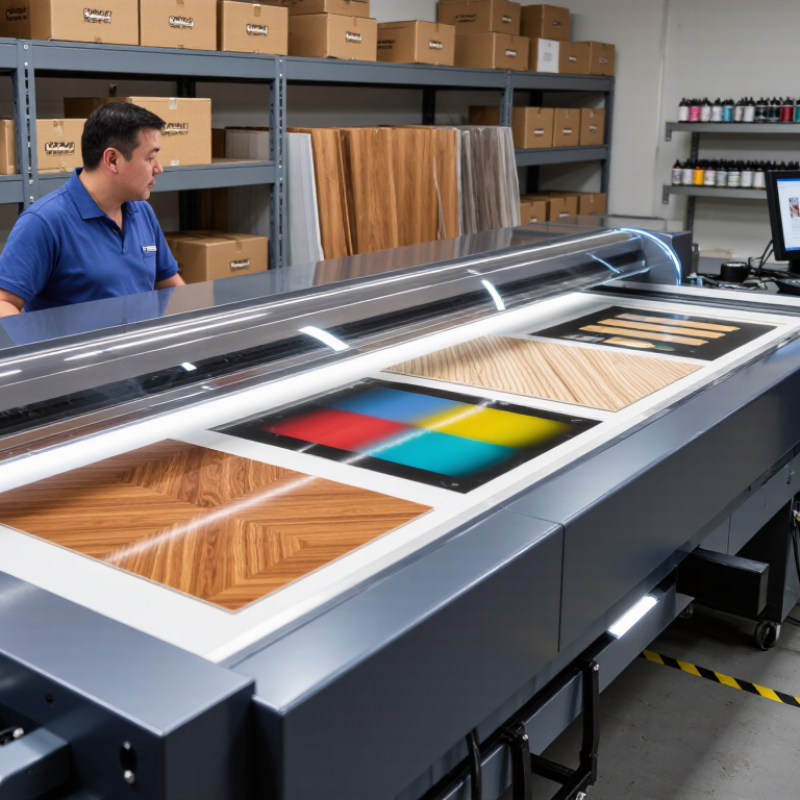
UV flatbed printing uses ultraviolet light to cure ink directly on rigid or flexible substrates. Most machines cure through LED wavelengths between 365 and 405 nm. The wavelength must match the ink’s photoinitiator, or adhesion may suffer.
The process supports CMYK, white, and varnish ink options. White ink creates opacity on black acrylic, wood, glass, and colored boards. Varnish adds gloss, texture, or spot effects. Some systems offer both in one workflow. That detail matters.
Grand View Research valued the global UV-curable inks market at about USD 1.8 billion in 2023, with continued growth forecast through 2030. Smithers’ digital print research also identifies short runs and personalization as important market drivers. These figures support demand, but they do not guarantee profit from every machine.
When comparing models, request adhesion tests on your actual materials. Test fine text, white density, varnish registration, and curing speed. A 405 nm lamp may not perform equally with every ink formulation. Measure output, not only specifications. Check lamp intensity, nozzle maintenance, and ink shelf life. In practical testing, glossy boards can reveal tiny registration errors quickly. They look minor at first.
A common mistake is trusting maximum resolution alone. Faster is not always better. Test a full production sheet before purchase. One overlooked issue is heat-sensitive material; excessive exposure can warp thin plastic. Allow room for operator training, ventilation, and failed samples. Some results will disappoint. That is useful information before committing capital.
Buying a UV flatbed machine starts with the boards you actually print, not the largest specification sheet.
Measure your common media sizes, including the edges needed for loading and registration. A board that fills the bed completely can become difficult to align. I prefer leaving 50–100 mm of practical clearance around the working area. This space helps with clamps, vacuum zones, and safer handling. It also reduces the risk of ink reaching unplanned surfaces.
Measure thickness carefully. Include your thickest acrylic, foam board, wood sheet, or composite panel. A 3 mm sample proves very little if tomorrow’s job uses a 20 mm panel. Check the machine’s maximum media thickness, height adjustment, and printhead protection system. Also ask how much clearance the stated 50–100 mm refers to. It may describe loading space, gantry height, or a safety margin. Those measurements are not interchangeable.
Inspect the bed in person when possible. Place a slightly warped board on it and test the vacuum zones. Check whether the carriage can move freely near raised edges. I once focused too heavily on printable area and underestimated operator access. That mistake affected setup time more than expected. Leave room for awkward sheets, not only perfect ones. Record your largest board, thickest material, and required clearance before comparing machine specifications.
Select a bed that is larger than the intended board format. The chart adds a practical 50 mm clearance on every side, while many installations may require up to 100 mm depending on clamps, vacuum zones, registration needs, and operator access.
Buying tip: Confirm the machine’s maximum printable area, maximum media thickness, Z-axis clearance, vacuum-zone layout, and allowance for a 50–100 mm perimeter before choosing a flatbed size. The usable print area is often smaller than the advertised table dimensions.
Buying a UV flatbed machine starts with the printhead layout, not the advertised speed. Count the heads, then check their channel arrangement. More heads can support wider coverage, faster passes, or extra ink channels. However, head count alone proves little. Ask how many heads remain active during production. Request a sample at the intended ink coverage. A machine that looks quick on paper may slow down with dense white ink.
Resolution needs careful interpretation. A 600 dpi setting may produce sharp signs when drop placement and calibration are well controlled. A 1,440 dpi mode can improve fine text, gradients, and small images, but it may reduce throughput. Compare visible detail under normal viewing distance. Check banding, edge softness, and tiny lettering. Higher resolution is not automatically better. I once trusted the highest setting and ignored drying time. That was a costly mistake.
Measure production speed using your real boards, artwork, and curing conditions. Ask for square-meter output with white, color, and varnish layers included. Record setup time, cleaning cycles, and loading delays. Also inspect vacuum stability, bed accuracy, and software controls. A reliable operator panel can save more time than a small speed advantage. Test repeatability across several days. Compare ink consumption and maintenance hours, not only the fastest demonstration. Leave room for imperfect estimates; production rarely matches showroom conditions.
When evaluating a UV flatbed machine, I begin with the RIP software, not the frame.
It controls nesting, spot colors, ink limits, and job repeatability. Ask for a live test using your files, including fine text and transparent gradients. A polished showroom image proves little. Request the original output settings. Check whether operators can save presets for boards, films, and textured sheets. Small workflow delays become expensive during a long production week. That lesson is easy to underestimate.
Color control deserves the same scrutiny.
The machine should support reliable ICC profiles and a practical calibration routine. Inspect a printed color chart under consistent lighting, then compare it with the approved sample. Ask who creates profiles, how often they are updated, and what happens after a printhead change. Do not accept vague promises about “accurate color.” Skin tones, neutral grays, and saturated reds often reveal weaknesses first. Document the measurement device and tolerances. Even experienced teams can skip this step when deadlines tighten. I have made that mistake.
White-ink circulation is another practical checkpoint.
Look for continuous circulation, accessible filters, and clear maintenance alerts. Ask the technician to demonstrate overnight idle recovery. Check whether settled ink causes banding near the first panel. Automation should reduce handling, not hide problems. Evaluate automatic height sensing, media alignment, vacuum zones, and job queues. Watch an operator load a heavy board without rushing. Some automation sounds impressive but saves only seconds. Measure saved minutes against training, cleaning, and service time. That comparison may change your buying decision.
A realistic UV flatbed machine budget begins with ink, not the purchase price. Record ink use per square meter for each common media type. Include white ink, varnish, nozzle flushing, and rejected prints. A test chart can expose hidden waste. Small details matter. Multiply monthly output by average ink cost per square meter, then add a 5–10% allowance for production losses. That allowance may still be too optimistic during the first few months.
Measure electricity with a plug-in meter during printing, curing, standby, and cleaning. Multiply the average kilowatt demand by operating hours and your local tariff. Do not forget air conditioning, ventilation, and computer equipment. Maintenance also needs a monthly reserve. Include printhead checks, filters, dampers, cleaning supplies, and technician visits. Some parts last longer than expected; others fail after heavy use. Your service records will become more reliable than a sales estimate.
To estimate payback, calculate monthly contribution margin rather than revenue. Subtract ink, media, labor, electricity, maintenance, finance costs, and rejected work from monthly sales. Divide the machine’s total installed cost by that monthly margin. For example, a 30,000-dollar investment with a 2,500-dollar monthly contribution suggests twelve months. That figure changes quickly when utilization drops. Test three scenarios: full production, average demand, and slow months. A spreadsheet is useful, but real job records should eventually replace assumptions.
| Cost and Performance Metric | Compact Model | Production Model | Industrial Model |
|---|---|---|---|
| Typical print area | Up to 1.2 × 2.4 m | Up to 1.6 × 3.2 m | Up to 2.0 × 3.2 m |
| Purchase price | $28,000 | $65,000 | $140,000 |
| Delivery, installation, and setup | $2,000 | $5,000 | $10,000 |
| Initial investment | $30,000 | $70,000 | $150,000 |
| Average electrical demand | 3.5 kW | 6.5 kW | 9.0 kW |
| Electricity rate used for estimate | $0.14/kWh | $0.14/kWh | $0.14/kWh |
| Electricity cost per operating hour | $0.49 | $0.91 | $1.26 |
| Average ink consumption | 10 ml/m² | 14 ml/m² | 16 ml/m² |
| Planning ink cost | $0.075/ml | $0.070/ml | $0.068/ml |
| Ink cost per square metre | $0.75 | $0.98 | $1.09 |
| Estimated production speed | 12 m²/hour | 30 m²/hour | 55 m²/hour |
| Electricity cost per square metre | $0.04 | $0.03 | $0.02 |
| Planned monthly output | 800 m² | 1,000 m² | 1,500 m² |
| Annual preventive maintenance allowance | $1,500 | $3,500 | $7,000 |
| Maintenance cost per month | $125 | $292 | $583 |
| Typical selling price used for calculation | $24.00/m² | $22.00/m² | $20.00/m² |
| Media, finishing, and direct labor allowance | $13.00/m² | $9.00/m² | $7.00/m² |
| Estimated contribution after ink and power | $10.21/m² | $12.02/m² | $11.89/m² |
| Estimated monthly contribution before maintenance | $8,168 | $12,020 | $17,835 |
| Estimated monthly contribution after maintenance | $8,043 | $11,728 | $17,252 |
| Estimated payback period | 3.7 months | 6.0 months | 8.7 months |
Leave about 50–100 mm around the working area. This space supports clamps, vacuum zones, and safer handling. It also limits accidental ink on nearby surfaces. Measure twice.
Record common board dimensions, including loading and registration edges. A board filling the bed can be difficult to align. Leave room for awkward sheets, not only perfect ones.
Measure your thickest acrylic, foam board, wood sheet, or composite panel. A 3 mm sample proves little if future work uses 20 mm panels. Check height adjustment and printhead protection.
No. Clearance may describe loading space, gantry height, or a safety margin. These measurements are not interchangeable. Ask for the exact reference point.
Place a slightly warped board on the bed. Test the vacuum zones and carriage movement near raised edges. Watch for restricted access. This test reveals practical problems quickly.
Include ink, white ink, varnish, flushing, rejected prints, electricity, and maintenance. Add filters, dampers, cleaning supplies, and technician visits. Include ventilation, air conditioning, and computer power.
Record ink use per square meter for each common media type. Include cleaning and failed prints. Multiply monthly output by average ink cost. Add a 5–10% production-loss allowance.
Use monthly contribution margin, not revenue alone. Subtract ink, media, labor, electricity, maintenance, finance costs, and rejected work. Divide installed cost by monthly contribution. Test busy, average, and slow months. The result may be too optimistic.
Choosing the right Uv Flatbed Machine requires more than comparing purchase prices. Start by understanding UV flatbed printing, including 365–405 nm curing wavelengths and ink configurations such as CMYK, white, and varnish. Match the bed size to your typical materials, confirm the maximum media thickness, and allow sufficient board clearance, generally around 50–100 mm, for practical loading and handling. Printhead quantity, resolution from 600 to 1,440 dpi, and production speed should also reflect your image quality requirements and expected workload.
A complete evaluation should include RIP software, ICC color management, white-ink circulation, and available automation features. These systems can influence consistency, ease of operation, and long-term productivity. Finally, calculate the total cost of ownership by estimating ink consumption, power demand, routine maintenance, replacement parts, and the expected payback period. A machine that balances performance, flexibility, operating costs, and reliable support will usually provide greater value than one selected solely for its headline speed or lowest initial price.